
Resolve before they open a ticket.
Most product support tickets are about setup, troubleshooting, or basic product questions. Veribl's AI, self-service help center, and digital manuals answer these instantly via QR code — reducing ticket volume by 60–80%.
The numbers
Support costs that make your CFO happy.
Every product scan that resolves itself is a ticket that never costs you $15–30.
Deflect 60–80% of tickets.
AI resolves product questions instantly — setup steps, compatibility, care instructions. Your support team only sees the issues that actually need a human.
To clean the filter on your ProClean X500:
- Open the bottom rack
- Turn the filter handle counter-clockwise
- Rinse under warm water
- Replace and lock clockwise
Source: User Manual, p. 24
Response in under 10 seconds.
No hold times. No wait for email. AI trained on your product documentation answers at the moment of frustration — before the consumer decides to return or complain publicly.
How it works
Your product docs become a support team.
Upload your manuals. Veribl does the rest.
Self-serve before they contact you.
Branded help center, searchable product guides, and AI chat — all accessible from a QR scan. Consumers find answers without opening a ticket. Your team stays focused on real problems.
See exactly what consumers ask.
Every unanswered question, every repeated query, every escalation is logged. Use the data to improve your documentation, update AI training, and identify product design issues before they become returns.
Platform features
Everything support needs, nothing it doesn't.
40+ languages, automatically.
AI support and product guides are auto-translated. A consumer in Japan gets the same instant answer as one in Germany — no localisation team required.
Works via QR, no app needed.
Consumers scan the code on the physical product. No app download, no account, no friction. Support is available the moment it's needed.
Content gap detection.
When AI can't answer a question, it flags it. You see exactly which product topics need better documentation — and fix the gap before the next consumer hits it.
See support tools in action
AI product support
Instant, context-aware answers trained on your documentation.
To clean the filter on your ProClean X500:
- Open the bottom rack
- Turn the filter handle counter-clockwise
- Rinse under warm water
- Replace and lock clockwise
Source: User Manual, p. 24
Help center
Branded, searchable knowledge base with AI-generated articles.
Multi-language help
Automatic language detection for global support coverage.
Consumer product page
Everything customers need — manuals, support, and more.
Digital manuals
Replace paper manuals with interactive digital guides.
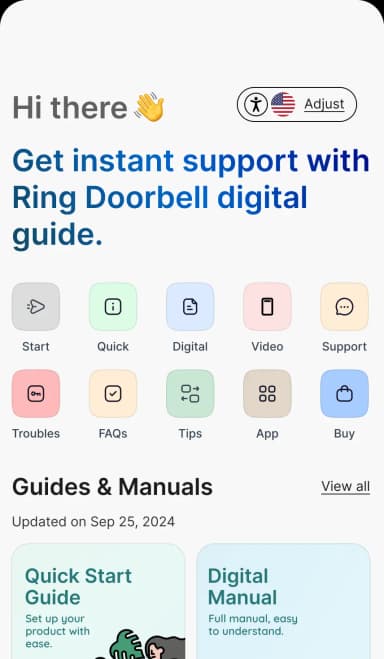
Automated emails
Post-registration drip campaigns for tips, reviews, and upsells.
FAQ
You upload your product manuals, FAQs, spec sheets, and troubleshooting guides to Veribl. The AI learns from this documentation and provides accurate, product-specific answers. When you update documentation, the AI's knowledge updates automatically — no retraining required.
Veribl's AI recognizes when a query requires human help and routes the conversation to your support team with full context — what the customer asked, what the AI already tried, and the product details. Your team picks up where the AI left off, no repetition needed.
You create categories (setup, troubleshooting, care, safety) and add articles. You can write articles manually or upload PDFs and let AI generate publish-ready articles for you. The help center is searchable, mobile-first, auto-translated to 40+ languages, and linked to every product via QR code.
No. Customers scan a QR code on the product or packaging and get instant access to AI support, help center articles, digital manuals, and product information in their mobile browser. No app, no account, no friction.
Veribl tracks every question customers ask the AI and every search they perform in your help center. When customers ask questions your documentation doesn't cover, Veribl surfaces these gaps ranked by frequency — so you know exactly what to write next.
Veribl automatically detects the customer's device language and responds accordingly. Your product documentation, help center articles, and AI responses are auto-translated into 40+ languages, so a customer in Japan gets Japanese support from the same QR code as a customer in Germany.
Yes. You control the AI's personality, response style, and escalation rules. Set it to match your brand voice — formal, casual, technical — and define when it should escalate to human agents versus continue trying to resolve independently.
Veribl's analytics dashboard shows deflection rates, common questions, resolution times, content gap reports, and escalation patterns in real time. You can see exactly how many tickets the AI prevented, which help center articles get the most views, and where your documentation needs improvement.
Turn every product into your best channel.
Get started in minutes, or book a personalized walkthrough with our team.